
NAVO
← Back to support

GPS Distances

Front, middle, and back yardages at a glance.

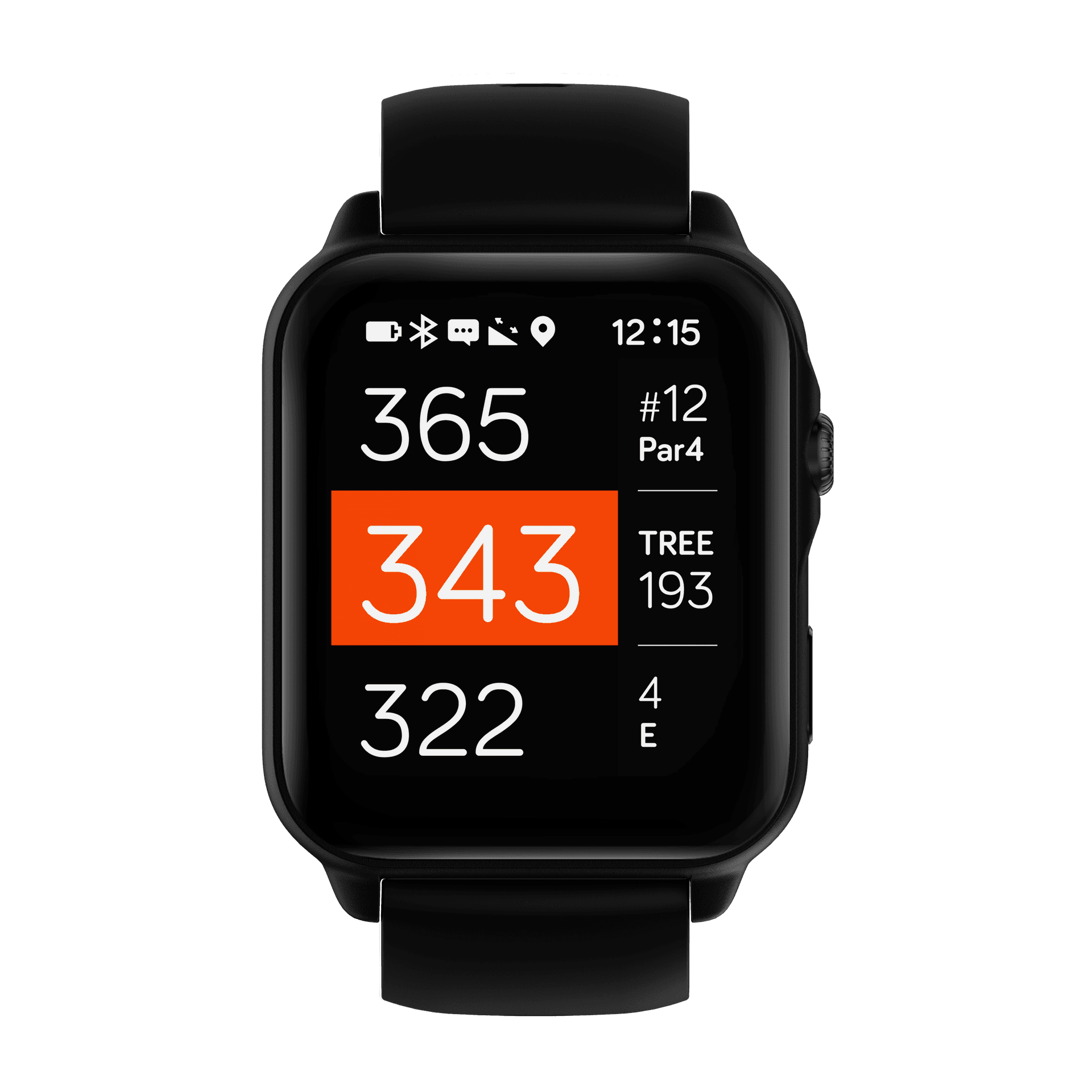
NAVO front, center, back yardages
The middle number is highlighted in orange for quick club selection.

NAVO shows three yardages for the green: back (top), middle (center), and front (bottom). The center distance is emphasized so you can read it quickly at address.

Use the middle number as your default reference, then adjust with the front and back values based on pin placement. The right-hand panel keeps hole info and hazards visible while you read yardages.

For best accuracy, pause at the ball for a moment so the GPS can settle before you check the distances.
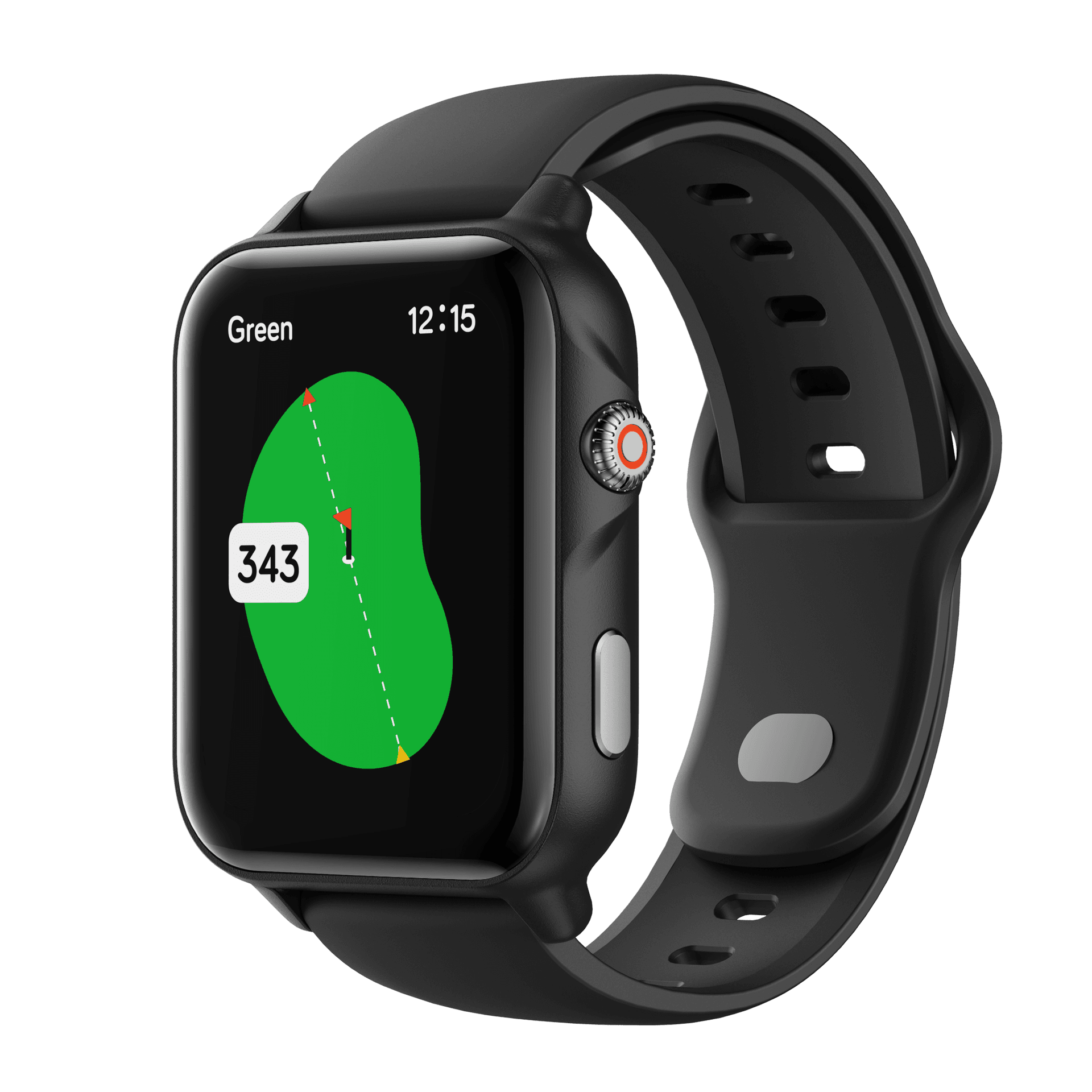
Green view with adjustable pin position
Swipe right to left to open Green View. Move the pin to update the distance instantly.

Product

  • NAVO W1

Support

  • Support home
  • Features & guides
  • Replacement parts
  • Contact

Company

  • About
  • Privacy policy
  • Terms of service