NAVO
Back to Features

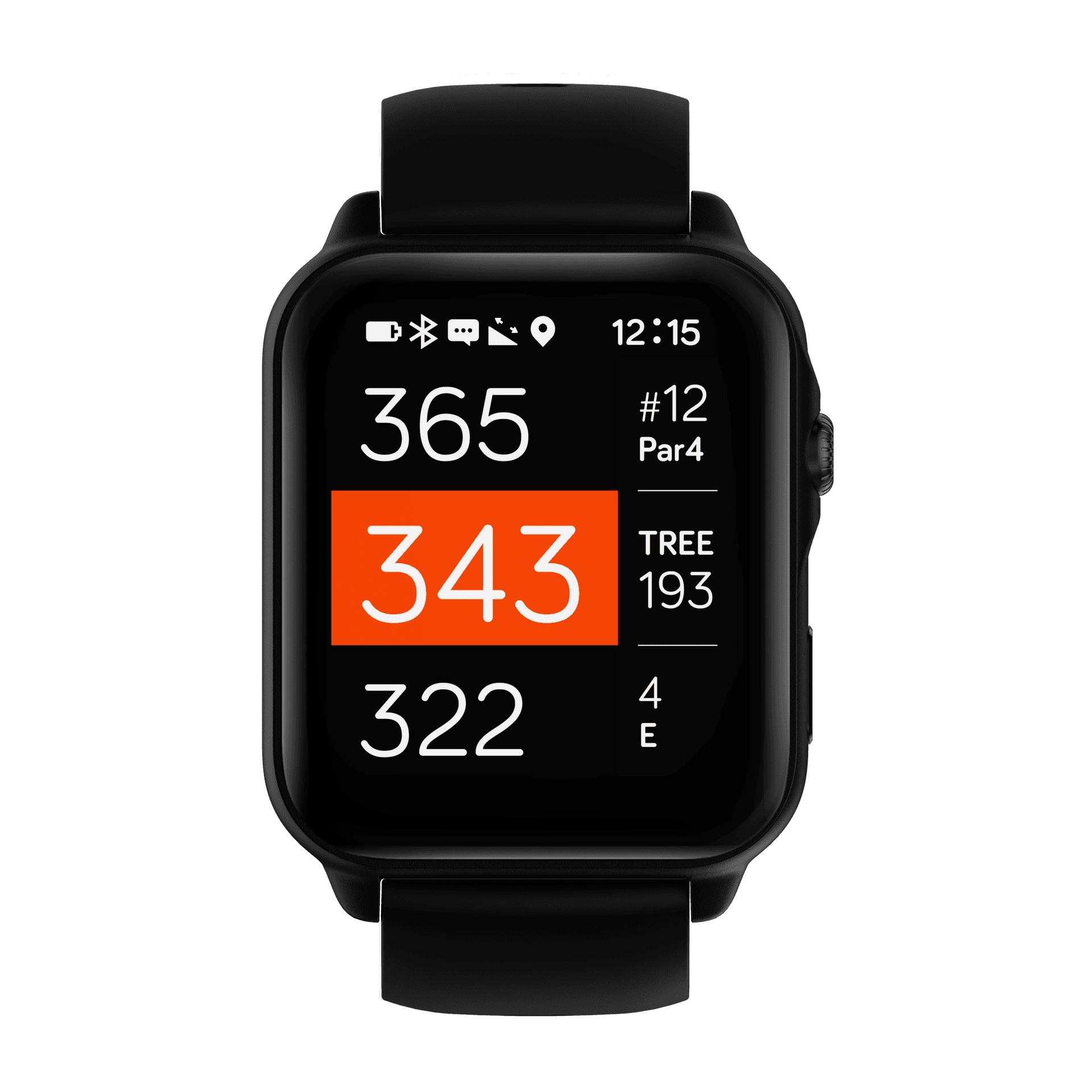
Playing golf — main screen

Playing golf main screen UI
Main screen tap targets and score entry.

Main interface (tap targets):

  • Top right (hole number, par):
    • Tap opens score card UI
  • Middle right (nearest hazard):
    • Tap opens all hazards for the current hole
  • Lower right (plus icon or current score):
    • Tap to add score for current hole:
    • Strokes
    • Putts
    • Fairway in regulation
    • GIR
Back to Features

Product

  • NAVO W1

Support

  • Support home
  • Features & guides
  • Replacement parts
  • Contact

Company

  • About
  • Privacy policy
  • Terms of service